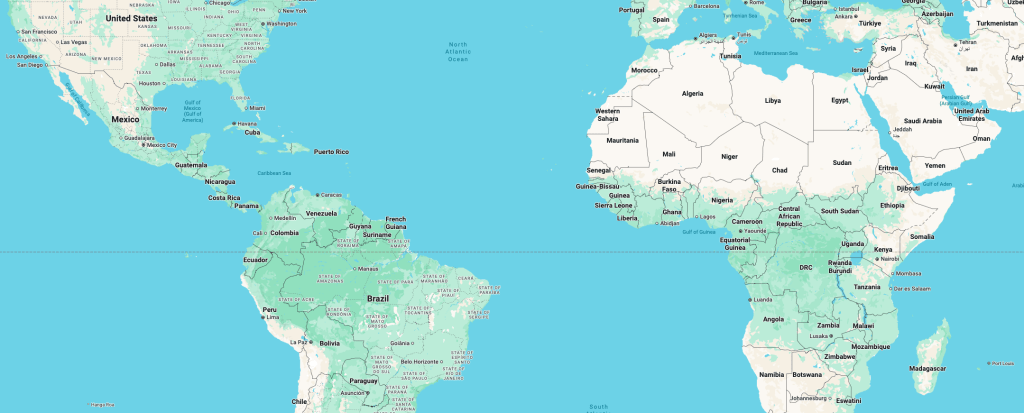
You can keep latitude and longitude in VARCHAR(255) columns if you enjoy pain. It’ll work until you try to do literally anything beyond “save and retrieve.” The problem is that location data isn’t just two values, it’s a geometry. Geometry has structure, relationships, and rules. PostGIS treats location as geometry instead of dumb text, which comes with performance, accuracy, and sanity. Here’s what you gain when you stop pretending Earth is just two strings.
1. Geometry as a First-Class Citizen
When you define a column as geometry(Point, 4326), you’re telling the database: “This is a point on Earth in WGS84 coordinates.” That contract matters. It means PostGIS will reject invalid inserts, enforce the correct format, and keep your data consistent. You don’t need to worry about someone sneaking in "banana" or "123,456" as a coordinate. More importantly, you can directly manipulate geometry in SQL without first converting it. This elevates location from being “dumb storage” into a proper data type that the database understands.
CREATE TABLE markers (
  id SERIAL PRIMARY KEY,
  name TEXT,
  location GEOMETRY(Point, 4326) NOT NULL,
  created_at TIMESTAMPTZ DEFAULT now()
);
Now location isn’t just sitting there as numbers, it’s a recognized geographic point that PostGIS can reason about.
2. Indexing That Scales
The moment you need to query “all markers inside this rectangle,” strings became painful. PostGIS uses spatial indexes like GiST (Generalized Search Tree) that partition space using R-trees. This means your queries skip irrelevant rows entirely, scanning only the region that matters. When you’re working with thousands or even millions of points, the performance difference with storing as string is night and day.
-- Add a spatial index
CREATE INDEX idx_markers_location ON markers USING GIST (location);

-- Fast bounding-box query with spatial operator
SELECT * FROM markers
WHERE location && ST_MakeEnvelope(106.7, -6.3, 106.9, -6.1, 4326);
With an index, that query runs in milliseconds, even if your dataset spans continents. Without one, you’re brute forcing the whole table, which is fine only if your definition of “fast” is “tomorrow.”
3. Built-In Geospatial Functions
Storing lat/lng as VARCHAR means writing your own math library in app code. With PostGIS, you get a toolbox of spatial functions tested and optimized by people who actually know geodesy. Want the distance between two points in meters? ST_DistanceSphere(). Want to expand a point into a circle of radius 500 meters? ST_Buffer(). Need to know whether two shapes overlap? ST_Intersects().
-- Distance in meters between two points
SELECT ST_DistanceSphere(
  'SRID=4326;POINT(106.8 -6.2)'::geometry,
  'SRID=4326;POINT(106.9 -6.25)'::geometry
);

-- Buffer a point by 500m
SELECT ST_Buffer('SRID=4326;POINT(106.8 -6.2)'::geometry, 500);
With VARCHAR, you’d be implementing haversine formulas by hand and re-debugging trigonometry you forgot in high school. With PostGIS, you just write SQL and get answers.
4. Projection Awareness
The Earth is round, but your database is flat. This mismatch is why projections exist. WGS84 (EPSG:4326) stores coordinates in degrees, which is perfect for GPS but useless for measuring real-world distances. Web Mercator (EPSG:3857) flattens things into meters, which is great for rendering map tiles but comically distorts Greenland. PostGIS doesn’t just store coordinates, it knows their spatial reference system. You can transform geometries between projections on the fly, without leaving SQL.
-- Convert WGS84 (degrees) into Web Mercator (meters)
SELECT ST_Transform(location, 3857) FROM markers;
This projection awareness means you don’t have to reinvent the math every time you want to render tiles or calculate distances. Your database understands the difference between “degrees on a globe” and “meters on a flat map.”
5. Ready for More Than Just Points
Points are a starting point (pun not intended), but real spatial data is richer. Cities are polygons, countries are multipolygons, roads are linestrings, and rivers are geometry collections. PostGIS handles them all in the same schema and lets you query across them. You can ask whether a point falls within a polygon, whether a line crosses a boundary, or compute the centroid of multiple shapes. You’re not limited to dots, you can model entire spatial relationships.
-- Find all markers inside Jakarta’s polygon
SELECT * FROM markers
WHERE ST_Within(location, (
  SELECT boundary FROM cities WHERE name = 'Jakarta'
));
With VARCHAR, you’d be trying to encode polygons as JSON blobs and parsing them in app code, essentially building your own broken GIS system from scratch. With PostGIS, geometry is built-in, and the queries are one-liners.
Wrap-Up
PostGIS doesn’t just store coordinates—it makes your database spatially intelligent. It enforces correctness with geometry types, scales with spatial indexes, does the math for you, handles projections, and supports every geometry shape you’ll ever need. That’s the difference between “I have some numbers” and “my database actually understands Earth.”
So sure, you could keep storing lat/lng as strings. But that’s like storing passwords in plain text, it only seems fine until you need to do something serious with it. PostGIS is the grown-up way.
 From Code to Kanji
Leave a comment